
Appearance
Join a Space
Let's see how to join a space using an invite code.
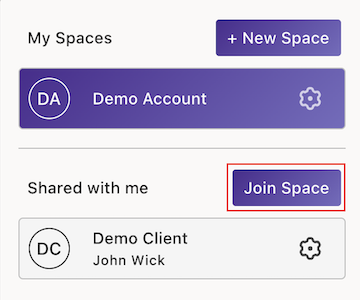
Open the Sidebar and select the Space Toggle.
Click the Join Space button.
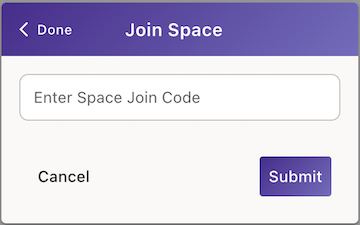
- Enter the Space Join Code provided by the Space owner, then click Submit.
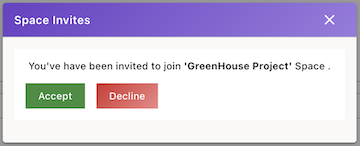
- To view pending invites, click Check Now in the prompt to view and confirm the space you're trying to join.

- Once you’ve reviewed the space info in the invite, click Accept to confirm and join the space or click Decline to reject the invitation.
- You’re all set! You’ve successfully joined the space.